FundRaiser Blog
Our Clubhouse's management of simultaneous campaigns
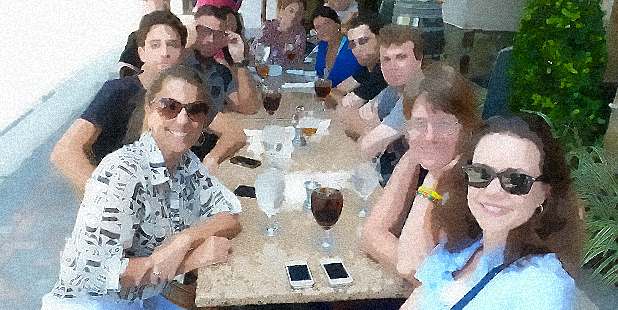
Our Clubhouse.org has a dedication to improving the lives of cancer survivors that inspires me. They keep up a very active schedule of fundraising to pay for the services they offer to cancer survivors and their families. They started small, using FundRaiser Basic, and over the years have built momentum so that they now are running several events at once. Staying organized is a challenge, and they have done it by skillful use of special campaign management features in FundRaiser Software.
Using the Campaign Management Console is straightforward, and in doing so, Gilda’s Club of Western PA is able to easily view campaign ROI, and make adjustments as needed to their campaigns. Debra Markovich, Executive Assistant at Gilda’s Club Western Pennsylvania uses FundRaiser Professional on a daily basis and explains how they stay organized while running several simulaneous events:
1. Set up all events in the campaign console
Enter campaigns into FundRaiser. At the time of this interview, Our Clubhouse had two big campaigns going, a capital campaign for mortgage reduction; and the annual fundraising campaign. These are entered as top level events into the Campaign Management Console.
2. Add sub-events to cover smaller initiatives within the overall campaign
These are recorded under the campaign to which they belong, for instance the mortgage reduction campaign or the annual appeal campaign. “This lets us easily see how much money we raise from each activity,” says Debra. Sub-events can be any activity that raises money, such as
- Direct mail campaigns
- Special events like walk-a-thons, bake sales, spaghetti dinners, etc.
- Money coming in from specific foundations and grants and United Way
- Initiatives to bring in money from memorial giving.
“If you want to be able to know the amount of money raised from a certain initiative, it is listed separately,” says Debra. “The people I report to like to know the raffle brought in so much and the cook book sale brought in so much.”
Breaking it out in this way, makes it easy to create reports. “When Development Committee wants a report on any of the sub events, I just need to print it out. The information is all there,” says Debra.
3. Keep tabs on campaign progress with reports
This allows you to make midcourse corrections. “Development Committee might have a target for what they want to raise in a campaign, so I enter a target amount for certain campaigns. I give them a report to show them how they are doing. Maybe they want to raise $20,000. If I give them a report to show them they are at $10,000, they make decisions on how to take action. It lets them see what’s working and what’s not working,” says Debra.
4. Default coding helps with data entry accuracy
Keeping data entry accurate is highly important in creating good reports. The code set-up feature makes this easy. “Being able to set a default code is very helpful. When you use it, you don’t have the tendency to put the same thing under different codes at different times. Before I used it, I’d think ‘where should I put that?’ Sometimes I’d choose one thing, and another time, I’d choose another,” says Debra. Keeping codes consistent makes reports much easier to produce, and is important to keep the data useful over the long haul.
5. Compare campaign ROI to plan for even better fundraising next time
Having the ability to report on the status and effectiveness of past campaigns is very useful for future development. “The Development Committee makes changes based on reporting from prior years. They decide which areas need to improve or haven’t made as much as they’d like. They use it to reflect on what the next year’s budget will be,” says Debra.
With the love and skill of the staff and good tools like FundRaiser Software, Gilda’s Club of Western Pennsylvania is making sure that people touched by cancer can receive social and emotional support they need.
See how you can do the same for your organization
Take an online guided tour of FundRaiser