Intuitive & Affordable

FundRaiser Software offers 3 powerful programs designed to fit any budget and any installation requirements

FundRaiser Online

Plug In


FundRaiser Online


Do you long for the freedom to access your donor management software from anywhere in the world?

Welcome to FundRaiser Online; a totally new model for online access. FundRaiser Online is hosted desktop software that gives you the freedom of secure online access and the functionality and responsiveness of powerful desktop software. 

Starting at less than $200 a month for a single user, with minimal startup fees, FundRaiser Online is affordable and scalable for any budget.

Just look at all that is included with the base price:

    check mark1 Concurrent User - Unlimited User Accounts
    includedUnlimited Donors - No additional charges when your database grows
    includedUnlimited Emails to donors using built-in Email Client
    includedPledges Management
    includedTributes Management
    includedVolunteer Management
    includedMembership Management
    includedRelationship Tracking
    includedCampaign Management
    includedand much, much more!

Signup and Try FundRaiser Online Now


Optional Modules

Modules let you customize FundRaiser Online and can be added at any time

  • Donor Portal
    Allow donors to create an account on your website, donate, update contact information & print their own tax receipts. All information flows seamlessly into FundRaiser Online
  • Volunteer Extension
    An extension of the Donor Portal, allows volunteers to sign up on your website, specify interests and skills, and set times of availability & contact preferences. All information flows seamlessly into FundRaiser Online
  • GiftTool Integration
    Integrates with GiftTool, provider of eCommerce solutions such as Event Registration, Pledge-a-Thons, Online Donations & more. All information flows seamlessly into FundRaiser Online.
  • Wintix Integration
    Integrates with Wintix Box Office Software by Centerstage. Turn ticket buyers into donors by tracking their ticket-buying history in FundRaiser Online.
  • Star Donor Integration
    An email-based online donations system.
  • Premiums
    Track premiums (gifts) sent in exchange for donations. Ideal for public radio and TV staions.
  • Phonathon
    Set goals for the day, hour or a specified period and track the gifts that are pledged toward these goals. Displays the totals in a format that is easily read by the on-air talent. Ideal for public radio and TV stations.
Please note that the QuickBooks Integration module is not available for FundRaiser Online at this time. 

FundRaiser Software for Large or Fast-Growing Nonprofits

FundRaiser Professional for Large Organizations

FundRaiser Professional: The Ultimate Tool for Fundraising Professionals

FundRaiser Professional is our flagship program, able to handle a complete range of donor and donation management tasks. It has been designed with maximum breadth and depth of functionality combined with an intuitive user-friendly interface.

Professional seamlessly integrates high-level database management, advanced word processing and email, and configurable reporting tools in a single, rock-solid application.

Everything is built right into the program, including the special fundraising tools available as optional modules in FundRaiser Select.

The Power of a Professional

FundRaiser Professional takes you to the next level of performance with a full suite of advanced features:

  • Campaign Management: Streamline and improve your campaign development and execution. Track participation, donations, tickets, RSVP's, attendance, sponsorships. Analyze and compare your campaigns to build on past success. Whether your special events are the occasional appeal letter or complex campaigns with multiple events, this feature is the solution. Learn More
  • Unlimited Spare Fields: Create an unlimited number of custom fields to match your unique tracking needs. These fields can also be included in searches and reports.
  • Relationships: Show how one record is related to another, whether through a family, personal, or business relationship. This is helpful for networking, especially when trying to see who may have a relationship with an important contact.
  • Split Gifts: Record donations given for more than one purpose.
  • Soft Credits: Record individuals who deserve recognition for playing key roles in obtaining major contributions.
  • Additional Gift Codes: Use up to seven gift codes to further define donations for detailed segmentation.
  • Advanced Reporting Capabilities: Use the powerful Matrix report to cross-reference your data.
  • Other Enhancements: Take advantage of many other enhancements located through-out the program, which combine to greatly extend its functionality. Examples include: user-definable exclusions, randomized exports, and the ability to combine groupings.
  • Modules: Built in modules can be activated or de-activated at any time to expand capabilities in areas such as: Memberships, Pledges, Online Donation and more.

Click on the items below to see more


  • Contact & Donor Management

    Contact & Donor Management Easily track your donors, prospects, and contacts in a single set of intuitive screens.
    • Store and manage an unlimited number of records
    • Keep information at your fingertips with extensive donor fields for contact information, contact preferences, codes, employer, birthdays, notes, etc.
    • Record unlimited multiple addresses
    • Add unlimited user-definable fields that you configure as you desire
    • Search and sort quickly and easily
    • Use advanced filtering to select desired records
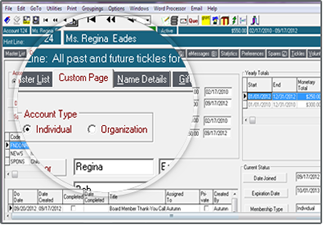
    • Create custom page of “most-viewed” information
    • Alert other staff members to important details with pop-up “Sticky Notes”
    • Control access to specific features with complete password protection
  • Gift Management

    Gift Management Monitor donations and track the effectiveness of your campaigns, events and solicitors.
    • Store unlimited donations and notes
    • Manage monetary and in-kind donations
    • Enter and track Recurring Donations
    • Process Online and Recurring Donations automatically with the Donor Portal
    • Apply up to 5 codes per gift: mode, motivation, solicitor, purpose, and fund
    • Track phonathon pledges/promises
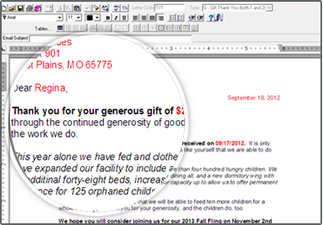
    • Automatically generate thank-you letters (receipts) for every gift from templates that you design or modify
    • Instantly see totals for each event or campaign
    • Conduct extensive reporting on donation demographics
  • Donor Portal for Online Donations

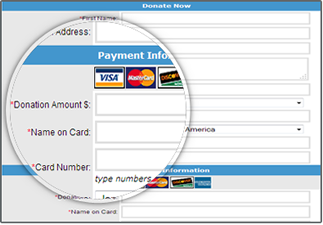
    Donor Portal for Online Donations The Donor Portal is an add-on option for creating a secure online donation page on your website, providing a seamless interface for your donors.
    • Perfectly matches the look & feel of your existing website
    • Custom fields can be controlled from within FundRaiser, itself
    • Gifts are processed by your payment processor and then automatically entered in FundRaiser
    • Donors can give a one-time gift, or schedule and manage a recurring donation or pledge
    • Donors can create a profile to manage their recurring donations, update contact information, and print receipts
    • Useful API option gives you complete control of your page, then passes information to the secure payment page
    Read More
  • Built-in Modules

    All of the modules that are optional for FundRaiser Select are built right in to FundRaiser Professional. They can be turned on or off at any time. The modules include:
    • Pledges Management: These are for donors who make multi-payment pledges, like $600 over 12 months, with $50 payments made each month (or far more complex payment schedules, if desired). You choose which pledgers should receive reminder letters or overdue notices. Learn More
    • Tributes Management: This is for organizations who have in-memory-of or in-honor-of gifts. With it, you record not only who gave, but in whose memory or honor it was given, and who the donor should be acknowledged to (often the surviving spouse). Learn More
    • Volunteer Management: Perfect both for volunteer-driven nonprofits and for those with less sophisticated efforts. Track volunteer status and work history. Schedule individuals, groups, or teams based on their skills and availability. Print welcome and work evaluation letters, and generate a variety of reports for efficient management. Learn More
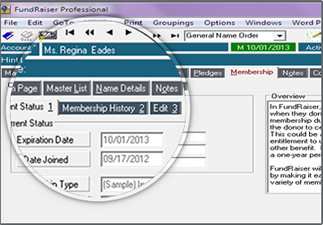
    • Membership Management: This is for membership-based organizations, especially for those whose expiration dates are scattered throughout the year. It makes it easy to send out renewal letters a month or so before their expiration date. Learn More
    • Premiums Management: This module is ideal for public radio and TV stations who give premiums in return for donations. It prints shipping labels, keeps track of out-of-stock items, and includes several helpful reports. Learn More
    • Phonathon: Perfect for radio stations or organizations that have phonathons or sharathons. Set goals for the day, hour or a specified period and track the gifts that are pledged toward these goals. Displays the totals in a format that is easily read by the on-air talent. Learn More
    • Product Sales: This is for those who have a catalog of products to sell. It produces invoices and helpful reports. It is also easy to combine a product sale with an extra gift - just ask if the purchaser would like to round the amount of the order up to an even number (like $50) - the difference is a tax deductible donation. Learn More
    • QuickBooks® Integration: This module enables FundRaiser to "talk" to QuickBooks so that when you enter a donation or pledge in FundRaiser, it is automatically entered into QuickBooks for you. Please note QuickBooks Integration is only available for locally-installed versions, not for Online or Hosted versions. Learn More
    • Wintix Integration Turn your ticket buyers into donors! This module is for theater groups who sell tickets to their performances. It is an integration package, rather than the actual ticket-sales program itself. It integrates with Wintix and Tixsales from Center Stage Software. Learn More
  • Word Processing & Email

    Word Processing & Email Built-in email and word processing systems make it easy to manage and record all donor correspondence from within FundRaiser Select.
    • Print and email letters in the same operation
    • Incorporate merged data into both printed letters and emails
    • Use powerful "IF/THEN" statements for ultimate control over the text in your letters (ex: IF donor meets a certain criteria, THEN publish this text)
    • Eliminate bad email addresses with automatic bounceback processing
    • Choose from a variety of customized letter templates
    • Merge any field or common summarized information into your correspondence
    • Preview the effects of your changes as you edit your templates
    • Print all donor correspondence with one-touch batch printing
  • Reminders

    The Tickles Tab is a multi-purpose reminder system for laying out important tasks and managing deadlines.
    • Map out grant application tasks
    • Assign tickles to individuals or to all staff members
    • Attach tickles to donor records
    • Manage tasks with the flexible tickle reports
  • Custom Page

    Custom Page Easily design your own Custom Pages to accommodate a variety of daily tasks.
    • Create your Custom Page with Drag & Drop ease
    • Each user can create an unlimited number of Custom Pages
    • Perfect for custom data-entry forms
    • Design a detailed and customized Donor Profile
  • Reports

    Generate a full range of analytical reports to understand all the donor management activities you perform with FundRaiser. Reports can also be printed to Microsoft® Excel, PDF, HTML, RTF (Rich Text Format) and other popular formats.
    • Multiple donation and donor reports
    • Matrix Report for detailed comparisons
    • Analysis reports
    • Tickle reports
    • User-defined reports
    • Correspondence reports
    • Solicitation and appeals reports
  • Groupings

    Segment donors using Groupings for targeted mailings. Also useful for reports, and for viewing, editing or exporting select portions of your donor list.
    • Simplify complex queries with form-based criteria – no knowledge of SQL language needed
    • Define criteria based on virtually any data
    • Use And/Or/Not combinations of criteria to include or exclude data
    • Save, mark, update, refresh, delete, or archive Groupings
  • Duplicate Checking, Custom Page & Import

    Duplicate Checking
    • Automatically checks for duplicate records as you add new donors. Checks by donor and spouse name, as well as by address. Utility is especially useful for merging duplicates after importing.
    Custom Page
    • Create multiple custom page layouts with drag-and-drop ease to individualize your workspace and streamline your workflow — especially effective when staff members are assigned different tasks. Each user can create their own pages for ultimate customization and efficiency.
    Export
    • Export data from FundRaiser Select to most other programs including common database and spreadsheet applications; or to send to mailing houses for processing.
  • Merge, Import & Backup

    Easily merge information into Professional in the following scenarios:
    • Merge updated data back into FundRaiser following mailing house or other processing
    • Integrate with 3rd party software for one-click standardization and verification (CASS Certification) of your addresses for maximum USPS discounts
    • Special streamlined interface for USPS National Change Of Address (NCOA) processors
    Import data seamlessly with powerful built-in import tools.
    • Import your current database, as well as data you receive from others. When importing gifts, bring in up to three donations per donor using the built-in import tools. We also have data conversion specialists who handle complex and unusual data. Ask your salesperson for details
    • Import donor demographics like names, addresses, phone numbers and notes from other programs, including Microsoft® Excel and Access
    • Import donor information including giving history from QuickBooks®
    • Import data with ease from other FundRaiser programs
    Insure that your data is always safe with regular backup.
    • Automatic backups are included with Online and Hosted options
    • Schedule backup for a pre-set time every day
    • Specify location for storage of the backup
    • Restore to any FundRaiser installation
  • 1

Here for you Today... and Tomorrow

As powerful as FundRaiser Professional is today, we are committed to its growth. We actively seek feedback and suggestions from our customers, allowing us to continue to meet your needs as the fundraising profession evolves. And when we add new features, you get them for free with your Annual Maintenance Plan! You can feel assured that FundRaiser Professional is right for you today...and tomorrow.

Fundraising Software for Medium or Growing Nonprofits

FundRaiser Select for Medium and Growing Nonprofits

FundRaiser Select Features

FundRaiser Select is a unique donor management software package that consists of a powerful core program and several optional modules that enhance its functionality. This arrangement puts you in control by allowing you to start with only the features that you need today, rather than everything you might need in the future.

FundRaiser Select Performance

The core of FundRaiser Select integrates donor and donation management with powerful word processing, and delivers a full complement of features to accommodate serious fundraising needs.

Click on the items below to see more


  • Contact & Donor Management

    Contact & Donor Management Easily track your donors, prospects, and contacts in a single set of intuitive screens.
    • Store and manage an unlimited number of records
    • Keep information at your fingertips with extensive donor fields for contact information, contact preferences, codes, employer, birthdays, notes, etc.
    • Record multiple addresses
    • Add up to three user-definable fields that you configure as you desire
    • Search and sort quickly and easily
    • Use advanced filtering to select desired records
    • Create custom page of “most-viewed” information
    • Alert other staff members to important details with pop-up “Sticky Notes”
    • Control access to specific features with complete password protection
  • Gift Management

    Gift Management Monitor donations and track the effectiveness of your campaigns, events and solicitors.
    • Store unlimited donations and notes
    • Manage monetary and in-kind donations
    • Enter and track Recurring Donations
    • Process Online and Recurring Donations automatically with the Donor Portal
    • Apply up to 5 codes per gift: mode, motivation, solicitor, purpose, and fund
    • Track phonathon pledges/promises
    • Automatically generate up to two thank-you letters (receipts) per gift from templates that you design or modify
    • Instantly see totals for each event or campaign
    • Conduct extensive reporting on donation demographics
  • Optional Add-on Modules

    Add optional modules to make FundRaiser Select exactly the program you need. You purchase them up front or add them on any time. The modules include:
    • Pledges Management: These are for donors who make multi-payment pledges, like $600 over 12 months, with $50 payments made each month (or far more complex payment schedules, if desired). You choose which pledgers should receive reminder letters or overdue notices. Learn More
    • Tributes Management: This is for organizations who have in-memory-of or in-honor-of gifts. With it, you record not only who gave, but in whose memory or honor it was given, and who the donor should be acknowledged to (often the surviving spouse). Learn More
    • Volunteer Management: Perfect both for volunteer-driven nonprofits and for those with less sophisticated efforts. Track volunteer status and work history. Schedule individuals, groups, or teams based on their skills and availability. Print welcome and work evaluation letters, and generate a variety of reports for efficient management. Learn More
    • Membership Management: This is for membership-based organizations, especially for those whose expiration dates are scattered throughout the year. It makes it easy to send out renewal letters a month or so before their expiration date. Learn More
    • Premiums Management: This module is ideal for public radio and TV stations who give premiums in return for donations. It prints shipping labels, keeps track of out-of-stock items, and includes several helpful reports. Learn More
    • Phonathon: Perfect for radio stations or organizations that have phonathons or sharathons. Set goals for the day, hour or a specified period and track the gifts that are pledged toward these goals. Displays the totals in a format that is easily read by the on-air talent. Learn More
    • QuickBooks® Integration: This module enables FundRaiser to "talk" to QuickBooks so that when you enter a donation or pledge in FundRaiser, it is automatically entered into QuickBooks for you. Please note QuickBooks Integration is only available for locally-installed versions, not for Online or Hosted versions. Learn More
    • Wintix Integration Turn your ticket buyers into donors! This module is for theater groups who sell tickets to their performances. It is an integration package, rather than the actual ticket-sales program itself. It integrates with Wintix and Tixsales from Center Stage Software. Learn More
    • Product Sales: This is for those who have a catalog of products to sell. It produces invoices and helpful reports. It is also easy to combine a product sale with an extra gift - just ask if the purchaser would like to round the amount of the order up to an even number (like $50) - the difference is a tax deductible donation. Learn More
  • Donor Portal for Online Donations

    Donor Portal for Online Donations The Donor Portal is an add-on option for creating a secure online donation page on your website, providing a seamless interface for your donors.
    • Perfectly matches the look & feel of your existing website
    • Custom fields can be controlled from within FundRaiser, itself
    • Gifts are processed by your payment processor and then automatically entered in FundRaiser
    • Donors can give a one-time gift, or schedule and manage a recurring donation or pledge
    • Donors can create a profile to manage their recurring donations, update contact information, and print receipts
    • Useful API option gives you complete control of your page, then passes information to the secure payment page
    Read More
  • Word Processing & Email

    Word Processing & Email Built-in email and word processing systems make it easy to manage and record all donor correspondence from within FundRaiser Select.
    • Print and email letters in the same operation
    • Incorporate merged data into both printed letters and emails
    • Eliminate bad email addresses with automatic bounceback processing
    • Choose from a variety of customized letter templates
    • Merge any field or common summarized information into your correspondence
    • Preview the effects of your changes as you edit your templates
    • Print all donor correspondence with one-touch batch printing
  • Groupings

    Segment donors using Groupings for targeted mailings. Also useful for reports, and for viewing, editing or exporting select portions of your donor list.
    • Simplify complex queries with form-based criteria – no knowledge of SQL language needed
    • Define criteria based on virtually any data
    • Use And/Or/Not combinations of criteria to include or exclude data
    • Save, mark, update, delete, or archive Groupings
  • Reports

    Generate a full range of analytical reports to understand all the donor management activities you perform with FundRaiser. Can also be exported to Microsoft® Excel, HTML, RTF (Rich Text Format) and other popular formats.
    • Multiple donation and donor reports
    • Analysis reports
    • Tickle reports
    • User-defined reports
    • Correspondence reports
    • Solicitation and appeals reports
  • Reminders

    The Tickles Tab is a multi-purpose reminder system for laying out important tasks and managing deadlines.
    • Map out grant application tasks
    • Assign tickles to individuals or to all staff members
    • Attach tickles to donor records
    • Manage tasks with the flexible tickle reports
  • Custom Page

    Custom Page Easily design your own Custom Pages to accommodate a variety of daily tasks.
    • Create your Custom Page with Drag & Drop ease
    • Each user can create an unlimited number of Custom Pages
    • Perfect for custom data-entry forms
    • Design a detailed and customized Donor Profile
  • Duplicate Checking, Custom Page & Import

    Duplicate Checking
    • Automatically checks for duplicate entries by donor and spouse name, as well as by address. After-the-fact merging of duplicates is especially useful after importing.
    Custom Page
    • Create multiple custom page layouts with drag-and-drop ease to individualize your workspace and streamline your workflow — especially effective when staff members are assigned different tasks.
    Export
    • Export data from FundRaiser Select to most other programs including common database and spreadsheet applications; or to send to mailing houses for processing.
  • Merge, Import & Backup

    Easily merge information into Select in the following scenarios:
    • Merge updated data back into FundRaiser following mailing house or other processing
    • Integrate with 3rd party software for one-click standardization and verification (CASS Certification) of your addresses for maximum USPS discounts
    • Special streamlined interface for USPS National Change Of Address (NCOA) processors
    Import data seamlessly with powerful built-in import tools.
    • Import your current database, as well as data you receive from others. (We also have data conversion specialists who handle complex and unusual data. Ask your salesperson for details.)
    • Import donor demographics like names, addresses, phone numbers and notes from other programs, including Microsoft® Excel and Access
    • Import donor information including giving history from QuickBooks®
    • Import data with ease from other FundRaiser programs
    Insure that your data is always safe with regular backups.
    • Note that backups are automatic with Online and Hosted versions
    • Schedule backup for a pre-set time every day
    • Specify location for storage of the backup
    • Restore to any FundRaiser installation
  • 1

Select Options

As powerful as its standard functions are, what truly sets FundRaiser Select apart is the variety of its Optional Modules. It’s like getting custom-designed software at a fraction of the cost!

All optional modules are built into the program, and can be activated at any time - either with your initial purchase, or later as your needs expand.

FundRaiser Select On Your Network

FundRaiser Select has multiple installation options designed to fit your needs exactly; it can be accessed online, or on your own network or personal computer. Select is also available for a single user at a time or up to 1,000 users, and you can always add users as your team grows.

  • Single-User – A single-user license means that Select can be accessed by one user at a time. If you have the online version, you can give access to as many users as you like, but only one may log in at a time. The same is true of the installed version; you can install the software on your server and access it from multiple workstations, one user at a time.
  • Additional Users – If you need more than one person to be able to log in and use Select simultaneously, you can select exactly the number of users you want. For example, you could choose to have three users in either the online or installed version, so three people can use the software concurrently, although you may grant access to more users. Select can be configured for up to 1,000 concurrent users, so you are not likely to run out of user licenses.

Optional Select Modules

  • QuickBooks® Integration  ($500)
    This module enables FundRaiser to "talk" to QuickBooks so that when you enter a donation or pledge in FundRaiser, it is automatically entered into QuickBooks for you. Please note that the ability to import from QuickBooks is a standard import option in both FundRaiser Select and Professional, and does not require the use of this module. The module is needed only to send FundRaiser data to QuickBooks.
  • Pledges  ($300)
    These are for donors who make multi-payment pledges, like $3,000 over 4 years, with $200 payments made each quarter and a final balloon payment of $800 (or as simple as $20/month for a year). You choose which pledgers should receive reminder letters or overdue notices. Reports include a status report, an income projection report, a statistical report, and a campaign (pledge and gift) report.
  • Tributes  ($300)
    This is for organizations who have in-memory-of or in-honor-of gifts. With it, you record not only who gave, but in whose memory or honor it was given, and who the donor should be acknowledged to (often the surviving spouse). It's easy to print those acknowledgment letters, specifying the names (and addresses and amounts, if desired) of the donors. It's also easy to print or create a file containing a listing of honorees and donors in a format suitable for pasting into a newsletter.
  • StarDonor Integration   ($500)
    Offer your donors the convenience of donating on your website anytime they are inspired to do so. This module fully automates the process of accepting and recording online donations.
  • Volunteer Management   ($300)
    Perfect both for volunteer-driven nonprofits and for those with less sophisticated efforts. Track volunteer status and work history. Schedule individuals, groups, or teams based on their skills and availability. Print welcome and work evaluation letters, and generate a variety of reports for efficient management.
  • Memberships  ($300)
    This is for membership-based organizations, especially for those whose expiration dates are scattered throughout the year. It makes it easy to send out renewal letters a month or so before their expiration date. It's also especially easy to print labels for newsletters and other membership mailings. Reports include a status report, a statistical report, and a 4-year comparison report.
  • Wintix Integration  ($500)
    Turn your ticket buyers into donors! This module is for theater groups who sell tickets to their performances. It is an integration package, rather than the actual ticket-sales program itself. It integrates with Wintix and Tixsales from Center Stage Software. The integration software automatically updates in two directions, from FundRaiser to Wintix, and from Wintix to FundRaiser. The module also enables you to view past ticket purchases from within FundRaiser, and includes Wintix data in FundRaiser backups, if desired. You can also run queries (we call them Groupings in FundRaiser) of Wintix data from within FundRaiser, in combination with FundRaiser data (people who bought tickets during the past two years who have not yet donated). (This module does not include the cost of Wintix software. Module works for Wintix versions 3, 4 and 5.)  Click4 Tix and WebTix is NOT Supported currently.
  • Product Sales  ($300)
    This is for those who have a catalog of products to sell. It produces invoices and helpful reports. It handles partial shipments, backorders, and gift orders with ease. It's also easy to combine a product sale with an extra gift - just ask if the purchaser would like to round the amount of the order up to an even number (like $50) - the difference is a tax deductible donation.
  • Premiums  ($300)
    This module is ideal for public radio and TV stations who give premiums in return for donations. It prints shipping labels, keeps track of out-of-stock items, and includes several helpful reports.
  • Phonathon  ($300)
    Perfect for radio stations or organizations that have phonathons or sharathons. Set goals for the day, hour or a specified period and track the gifts that are pledged toward these goals. Displays the totals in a format that is easily read by the on-air talent.

Basic

New Website for FundRaiser Basic!

Thank you for your interest in FundRaiser Basic. In order to better serve our FundRaiser Basic customers, and to differentiate it from our more advanced products, FundRaiser Basic has moved to its own website. Click here to visit the FundRaiser Basic website.

www.FundRaiserBasic.com


Looking for advanced donor management features?

If you are in need of more advanced fundraising features, consider FundRaiser Select or Professional. While Basic was designed to be an entry-level system, FundRaiser Select and Professional were designed to fit the advanced fundraising and donor management needs of organizations looking for membership management, website integration, volunteer management, campaign management and much more.


What's the difference between FundRaiser Basic and FundRaiser Select?


FundRaiser Select & Professional

Get Free Brochure and Demo CD

FundRaiser Select and FundRaiser Professional are two powerful and intuitive donor management programs developed to offer unusual fundraising flexibility. Both programs feature tight integration of high-level database management tools with advanced word processing and email, and configurable reporting tools.

FundRaiser Professional is our flagship program, and is able to handle a complete range of donor and donation management tasks. This is for development professionals who need their software to function without limitations and at the same high level that they do.

FundRaiser Select is unique in that it consists of a powerful core program and optional (but built-in) modules that greatly enhance its core functionality. This flexible arrangement puts you in control - you can start with the features you need now, and add more later as your organization grows.

 
Want to see more? Click Here to see a short video with more information!
 
FundRaiser Select FundRaiser Professional
 
  • Track unlimited Donors and Gifts
  • Eight optional modules, including: Pledges, QuickBooks Integration, Volunteer Management, and more
  • Easy mail-merging of letters
  • Built-in email management
  • Tickler reminder and task management system
  • Password protection, access control
  • At least 15 reports
  • Simple yet flexible queries
  • Bulk mail features
  • Duplicate Checking, Merging
  • Merge updated information
  • "... and more"

Includes, as standard, every feature and optional module available for FundRaiser Select.

Plus:

  • Unlimited custom fields
  • Split Contributions
  • Soft Credits
  • Advanced reports
  • Web Form Intergration
  • Capital Campaign management
  • ... and other enhancements
  (not sold in New Zealand)
Review Comparison Chart of All FundRaiser Products

What's the difference between FundRaiser Basic and FundRaiser Select?

There's a world of difference between FundRaiser Select and FundRaiser Basic. But, first, if you are an existing FundRaiser Basic user, you will be glad to hear that all your FundRaiser Basic data, including your letters, will convert to FundRaiser Select format in one simple operation that you run yourself. There is no re-keying of data when you stay within the FundRaiser Family.

{slide=1. Unlimited coding:}

In Basic, you are limited to two codes per donor and one per gift. In Select, there is no limit to the number of codes per donor, and you have 4 per gift: Motivation (called Source in Basic), Fund, Purpose, and Solicitor.

{/slide}{slide=2. Three Spare Fields:}

These are user-defined text, code, date, number, or checkbox fields that you configure as you desire. For example, you can have one for social security number, another for marital status or ethnicity, and a third for a follow-up date.

{/slide}{slide=3. More Donor Fields: :}

Anonymous, inactive, mail exclude, send no gift thank you's, send End of Year, public name, report name, formal and informal salutations, gender, employer, dates of birth, birthdays, mobile phone, other phone, donor type, donor solicitor, mergeable text (add a personal note to your next letter), and more.

{/slide}{slide=4. More Gift Fields: }

Mode (check, cash, in kind, etc), Motivation (instead of Source), Purpose, Solicitor, two thank you letters (each donation can have two different letters and you can batch-print them all at once), Gift Type (includes "Later" for phonathon pledges), check number, receipt number (including automatic numbering for our Canadian users), date of deposit, batch number, foreign currency, value and description of any benefit given to the donor (for US IRS reporting purposes). And an unlimited notes area.

{/slide}{slide=5. Email System:}

This is a complete email management system for sending, receiving, and archiving all your donor emails. Whenever you print letters, you have the option to print and/or email those letters to your donors. Email is sent as one message to one person, with the subject line and message custom mail-merged for each person. Incoming email is automatically sorted; "bounceback" messages are processed (when the donors change their email addresses).

{/slide}{slide=6. Queries (Groupings):}

First, you have many more criteria, and much more flexibility, including the ability to have one criteria OR another and NOT a third. Second, you can save your queries (they're called Groupings in Select) for later use. Third, you can delete a Grouping from the Master file (great way to purge old inactive records) and you can assign the same code to everyone in a Grouping.

{/slide}{slide=7. More Reports:}

More reports, more options, and the ability to define your own report:

  • Donation Summary Report - gives a breakdown of donations by a variety of factors including codes and giving levels.
  • Donor Level Report - breaks your donors into user-definable giving levels for any time period.
  • New Names} - shows how many new names you have recorded per month over the years
  • New Donors} - a new donor is someone who has given for the first time. This report shows how many new donors you have had per month over the years.
  • Solicitor Summary - for those who assign donors to board members and other volunteers, especially during a fundraising campaign.
  • Correspondence Reports} - for any of the sections that batch-print letters, you can also print a report showing who is to receive which letters.
  • User-Definable Report - you pick and choose the fields (columns) you want on the report, and the order in which the report is to be printed.
{/slide}

{/slide}{slide=8. Reminders:}

The Tickles Tab is a multi-purpose reminder system for laying out important tasks and managing deadlines.

  • Map out grant application tasks
  • Assign tickles to individuals or to all staff members
  • Attach tickles to donor records
  • Manage tasks with the flexible tickle reports

{/slide}{slide=9. Improved Word Processor:}

You can include graphic images like scanned signatures or logo's. Also, bulleted and numbered paragraphs, fully justified text, and a controllable ruler with tab stops and indents. Plus, you have many new merge functions including some with tables for neat formatting of mini-reports.

{/slide}{/slide}{slide=10. Other New Features:}
  • Duplicate Checking. Yes, FundRaiser Basic checks for duplicates as you type them in, and so does FundRaiser Select, but Select will also check for (and remove, if desired) duplicates in your list as it exists after the records have been added. This is especially useful after you import a new list.
  • Backups that can span multiple disks and are Zip-compatible (can be opened with WinZip)
  • Better code management. Change or delete a code and FundRaiser updates all accounts. Merge one code into another. Mark a code as inactive, and it will not appear on your dropdown lists.
  • Better Internationalization. Select picks up your preferred date format and your currency symbol from the Windows settings. You can also tell FundRaiser what term to use instead of "State" (we're listening to you, Canada). Telephone and postal code formats can be set to your personal preference. You can even record donations made in foreign currencies and record the converted local currency amount, and be able to merge either or both in your thank you letter or receipt. You can also modify and add to the country addressing standards that come with FundRaiser.
  • Automatic Lookup of City and State/Province from the postal code. For addresses outside the US, you will have to make the first entry for each postal code yourself (in order to build a lookup table), but the lookups will be automatic after that.
  • Popup yellow "sticky notes" that alert you to important information about your donors.
  • Tickler reminder system. These reminders can be tied to a donor and/or a staff member and FundRaiser will alert you (or that staff member) when the reminder is due. Once completed, these notices can be saved as the donor's case history. Reports help you to manage this system.
  • Password system. This not only controls who is able to enter the program, it also controls what areas each user can have access to. For example, your assistant might have almost full access to everything, while the receptionist can only do lookups and is not shown any financial data.
  • Alternate Addresses This is how you handle multiple addresses for the same person. It might be a date sensitive address, as with Snowbirds (who go south for the winter) and students, or it might be code-related, as with Home/Business or Student/Parent.
  • Bulk Mail This is mostly for the USA, but has its uses elsewhere, too. It is used primarily for updating the addresses and ZIP+4 codes, but can be used by anyone who sends their data out to be processed and updated by a service bureau. It also adds tight integration with USPS NCOA (National Change Of Address) processors so that you get the current address of donors who have moved in the past 3 years. It tightly integrates with ZP4, a low-cost CASS-Certification and address verification program from Semaphore Corporation.
{/slide}{slide=11. Optional Modules:}

These are extra-cost addon's that give you extra functionality that would otherwise be available only in our top end program, FundRaiser Professional

Installed Products Overview

The FundRaiser Family offers both the online and installed products. If you are looking for the speed and security of a locally installed desktop product, read further here for more about FundRaiser Select or Professional. For the remote access and flexibility of an online product see our FundRaiser Online page.

Our desktop software offers users the peace of mind that comes with knowing that sensitive donor data is not being transferred over the internet. Both FundRaiser Select and Professonal "climb the ladder" of capability and sophistication. You can start at the level that is appropriate for you now, and upgrade later as your organization and needs evolve. Upgrading is easy and economical; your data converts from one program to another in a simple and quick operation and 100% of your previous purchase is applied to the cost of the next program.

FundRaiser Professional (interest-free installment plan available) is our flagship program, and the real workhorse of the Family. It contains dozens of powerful, easy-to-build reports, merge functions, and enhanced Grouping criteria. User-defined fields make the sorting and reporting functionality virtually limitless. Professional boasts powerful features not found in any other FundRaiser program.

FundRaiser Select (interest-free installment plan available) features unlimited coding, extensive data fields, powerful Query flexibility, built in reports, a top-notch word processor, and a multi-user option. Select is designed to grow with your organization by offering the flexibility to build upon its features and functionality with a full suite of expansion modules.

FundRaiser Expansion Modules are included in FundRaiser Professional and are available as optional expansions to FundRaiser Select to customize your application.

For more information about installation options, please visit the multi-user options page.

Using any of the FundRaiser programs will help you to grow. By increasing the time you have to devote to direct fundraising, it helps you to increase your contributions. As both you and your organization grow, the decision to step up to the more sophisticated features and techniques of the next FundRaiser programs will be a natural progression.

All our programs are guaranteed... if after giving it a good try, you're not happy with a FundRaiser program, send it back for a full refund. We are dedicated to giving you what you need to make your fundraising work easier and smoother.

 If both Select and Professional are more than you need right now, check out our simplest installed program, FundRaiser Basic on the FundRaiser Basic website. 

Case Studies
Is FundRaiser donor management software right for you? Will it solve the particular problems facing your organization? The following case studies cover a wide variety of organizations and fundraising activities, and show how many of the features of FundRaiser work in real life situations.

See Also:

{/slide}{/tabs}

Multi-User Capability ($400 per additional user) This is an addon that lets you have as many people using FundRaiser at the same time on your network. Basic is the perfect solution for the small nonprofit to store all donor and giving information in one location, and easily keep track of all the details.

As a FundRaiser Basic user, you get a 10% discount off the regular purchase price (including any modules you buy at the time). Plus, if your budget requires it, you can pay for it all over time with no interest. All nonprofits automatically qualify - no credit history is even checked.

There is one other optional cost of which you should be aware. That is for Annual Maintenance Plan , which is what we call the service that provides you with unlimited tech support on a toll-free line (US and Canada) and all program updates plus a few other services. When you purchase FundRaiser Select, you receive 90 days of Annual Maintenance Plan to get you started. After that, it is optional. But it is a service that over 80% of our users continue to renew.

Ten Differences Between FundRaiser Basic and FundRaiser Online

There's a world of difference between FundRaiser Online and FundRaiser Basic. We've listed the Top 10 differences here, but if you would like to learn even more about FundRaiser Online, complete this form to have one of our representatives contact you to arrange a free trial of the product.

Also, as an existing FundRaiser Basic user, you will be glad to hear that we are offering a limited time Spring Savings Deal for upgrading - take 10% off your monthly hosting fees for a year! Plus, all your FundRaiser Basic data, including your letters, will convert to FundRaiser Online format in one simple operation that we run for you. There is no re-keying of data when you stay within the FundRaiser Family.

The Top 10 (click each item for more information):

{slide=1. Unlimited coding:}

In Basic, you are limited to three codes per donor and one per gift. In FundRaiser Online, there is no limit to the number of codes per donor, and you have 4 per gift: Motivation (called Source in Basic), Fund, Purpose, and Solicitor.

{/slide}{slide=2. Unlimited Spare Fields:}

These are user-defined text, code, date, number, or checkbox fields that you configure as you desire. For example, you can have one for social security number, another for marital status or ethnicity, and a third for a follow-up date.

{/slide}{slide=3. Campaign Management: :}

Easily track all the details of your campaigns; annual fund drives, one-time events, appeal letters - any type of campaign can be built and tracked in the new Campaign Management Console. See who was invited, who attended, who donated, who sponsored the event or table, and track your ROI.

{/slide}{slide=4. Online Access: }

Unleash yourself from your office with online access to FundRaiser. Ideal for volunteers, those of you who work from home, or on the road. FundRaiser Online comes standard with one (1) concurrent user, meaning only one user can be logged-in at a time, but unlimited user accounts can be created. Additional concurrent users can also be purchased. 

{/slide}{slide=5. Email System:}

This is a complete email management system for sending, receiving, and archiving all your donor emails. Whenever you print letters, you have the option to print and/or email those letters to your donors. Email is sent as one message to one person, with the subject line and message custom mail-merged for each person. Incoming email is automatically sorted; "bounceback" messages are processed (when the donors change their email addresses).

{/slide}{slide=6. Queries (Groupings):}

First, you have many more criteria, and much more flexibility, including the ability to have one criteria OR another and NOT a third. Second, you can save your queries (they're called Groupings in FundRaiser Online) for later use. Third, you can delete a Grouping from the Master file (great way to purge old inactive records) and you can assign the same code to everyone in a Grouping.

{/slide}{slide=7. More Reports:}

More reports, more options, and the ability to define your own report:

  • Donation Summary Report - gives a breakdown of donations by a variety of factors including codes and giving levels.
  • Donor Level Report - breaks your donors into user-definable giving levels for any time period.
  • New Names - shows how many new names you have recorded per month over the years
  • New Donors - a new donor is someone who has given for the first time. This report shows how many new donors you have had per month over the years.
  • Solicitor Summary - for those who assign donors to board members and other volunteers, especially during a fundraising campaign.
  • Correspondence Reports - for any of the sections that batch-print letters, you can also print a report showing who is to receive which letters.
  • User-Definable Report - you pick and choose the fields (columns) you want on the report, and the order in which the report is to be printed.
{/slide}{slide=8. Improved Word Processor:}

You can include graphic images like scanned signatures or logo's. Also, bulleted and numbered paragraphs, fully justified text, and a controllable ruler with tab stops and indents. Plus, you have many new merge functions including some with tables for neat formatting of mini-reports.

{/slide}{slide=9. Internationalization:}

FundRaiser Online picks up your preferred date format and your currency symbol from the Windows settings. You can also tell FundRaiser what term to use instead of "State" (we're listening to you, Canada). Telephone and postal code formats can be set to your personal preference. You can even record donations made in foreign currencies and record the converted local currency amount, and be able to merge either or both in your thank you letter or receipt. You can also modify and add to the country addressing standards that come with FundRaiser.

{/slide}{slide=10. Membership, Pledges, Volunteer, and Tributes Management:}

These are typically extra-cost addon's that we've built in to FundRaiser Online to give you extra functionalily. Now you can easily track membership expiration dates and send renewal letters, track pledges - even those with unusual payment periods, track volunteer hours and availability, and easily record and report on tribute donations. 

{/slide}{/tabs}

Remember, as a FundRaiser Basic user, you get a 10% discount off the regular monthly fees for FundRaiser Online for an entire year! This offer is available through May 31st, so act now to move your organization up to the next level of donor management!

Connect With Us

  800-880-3454 ext 3
  Email Us
  Request More Information
  Monday-Friday
      8:30AM-5:30PM CST

Customer Portal Login Form


The customer portal is unavailable. If you need support please reach out to support@fundraisersoftware.com Thank you.


  User Name:
  Password:

If you are not sure about your Customer User Name, please call 800-543-4131 and we will be able to help you.

Or you have lost your password, Request Password